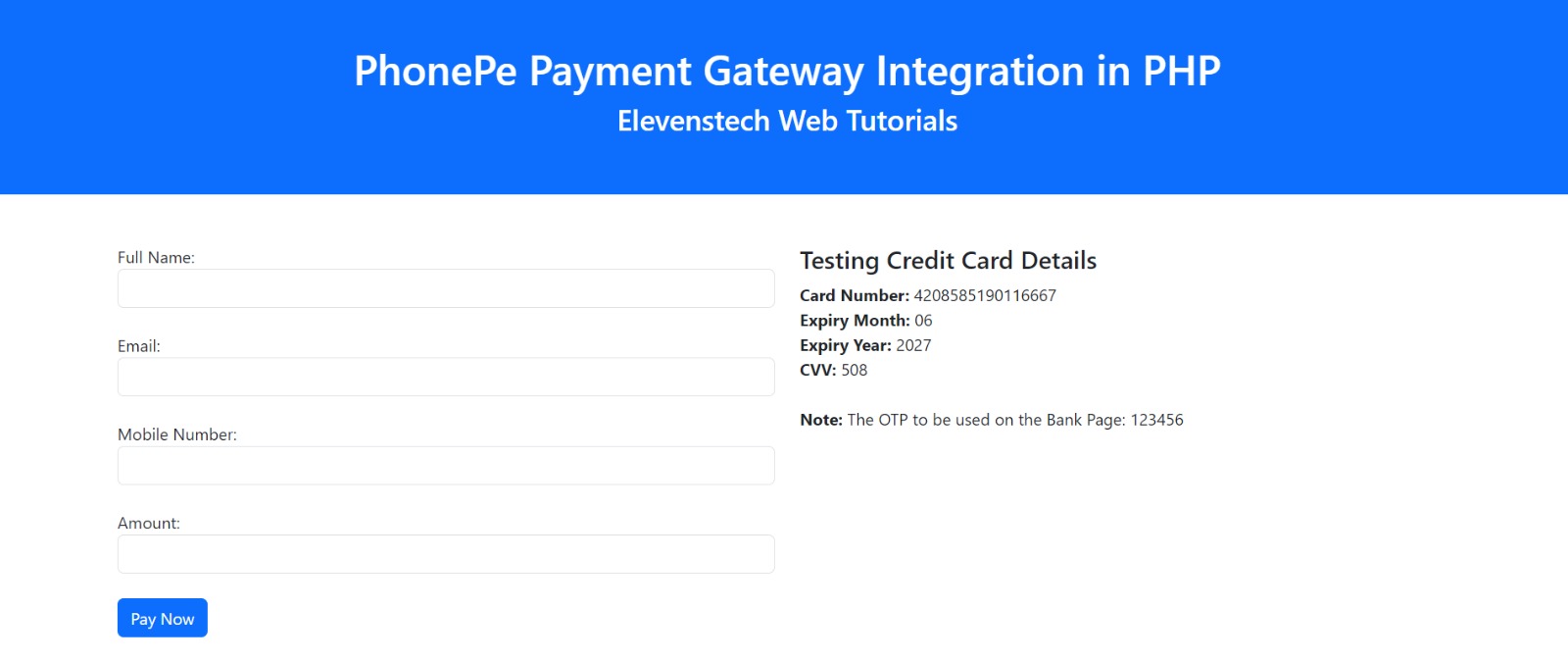
PhonePe Payment Gateway Integration in PHP Share
Integrating the PhonePe payment gateway into your website involves more than just implementing PHP code. The process includes several important steps, such as obtaining a merchant account to handle transactions, securing the necessary API credentials, and configuring the payment gateway functionality.
Assuming you already have a merchant account and API credentials for PhonePe, you can follow the steps below to connect the PhonePe payment gateway to your PHP website:
Before you begin, first create your merchant account with PhonePe by visiting:
https://www.phonepe.com/business-solutions/payment-gateway/register/
Complete PHP code to Integrate PhonePe Payment Gateway:
1) Create an index.php page.
<?php

//Change these details with your actual PhonePe API credentials
$merchantID = 'PWTEFSTDYUAT143'; // Sandbox or Live MerchantID
$apiKey="ab3ab144-c468-8373-8071-275c404d8ab0"; // Sandbox or Live APIKEY

//Create Redirect URL so that after it will redirect to success page
$redirectUrl = 'https://elevenstechwebtutorials.com/success.php';

//Add transaction details
$order_id = uniqid();
$name = "Elevenstech";
$email = "[email protected]";
$mobile = 9999999999;
$amount = 10; //amount in INR
$description = 'Payment for Product/Service';


$paymentData = array(
        'merchantId' => $merchantID,
        'merchantTransactionId' => "EV7839992988020", //test transactionID
        "merchantUserId"=>"EVUSERID17231",
        'amount' => $amount*100,
        'redirectUrl' => $redirectUrl,
        'redirectMode' => "POST",
        'callbackUrl' => $redirectUrl,
        "merchantOrderId" => $order_id,
        "mobileNumber" => $mobile,
        "message" => $description,
        "email" => $email,
        "shortName" => $name,
        "paymentInstrument"=> array(
        "type"=> "PAY_PAGE",
    )
);


$jsonencode = json_encode($paymentData);
$payloadMain = base64_encode($jsonencode);


$salt_index = 1; //key index 1
$payload = $payloadMain . "/pg/v1/pay" . $apiKey;
$sha256 = hash("sha256", $payload);
$final_x_header = $sha256 . '###' . $salt_index;
$request = json_encode(array('request'=>$payloadMain));

$curl = curl_init();
curl_setopt_array($curl, [
    CURLOPT_URL => "https://api-preprod.phonepe.com/apis/pg-sandbox/pg/v1/pay",
    CURLOPT_RETURNTRANSFER => true,
    CURLOPT_ENCODING => "",
    CURLOPT_MAXREDIRS => 10,
    CURLOPT_TIMEOUT => 30,
    CURLOPT_HTTP_VERSION => CURL_HTTP_VERSION_1_1,
    CURLOPT_CUSTOMREQUEST => "POST",
    CURLOPT_POSTFIELDS => $request,
    CURLOPT_HTTPHEADER => [
        "Content-Type: application/json",
        "X-VERIFY: " . $final_x_header,
        "accept: application/json"
    ],
]);

$response = curl_exec($curl);
$error = curl_error($curl);

curl_close($curl);

if ($error) {
    echo "CURL Error #:" . $error;
}
else
{
    $res = json_decode($response);

    if(isset($res->success) && $res->success=='1'){
        $paymentCode=$res->code;
        $paymentMsg=$res->message;
        $payUrl=$res->data->instrumentResponse->redirectInfo->url;

        header('Location:'.$payUrl) ;
    }
}

?>
2) Create success.php page.
On this page. you will get the response after success.
<?php
  echo'<pre>';
  print_r($_POST);
  echo '<pre>';
?>
NOTE: You can obtain test and sandbox API details from the following

 Click to Join


Comments 0